The firsthand observation
I personally tested Qwen 3 4B on my system with the same specifications, and it works perfectly. I prefer LM Studio because it is easy for a beginner to set up.
The maintainer’s feedback, lightly edited for clarity. This is their experience and ease-of-use preference, not a measured speed comparison against Ollama.
The configuration and what remains unknown
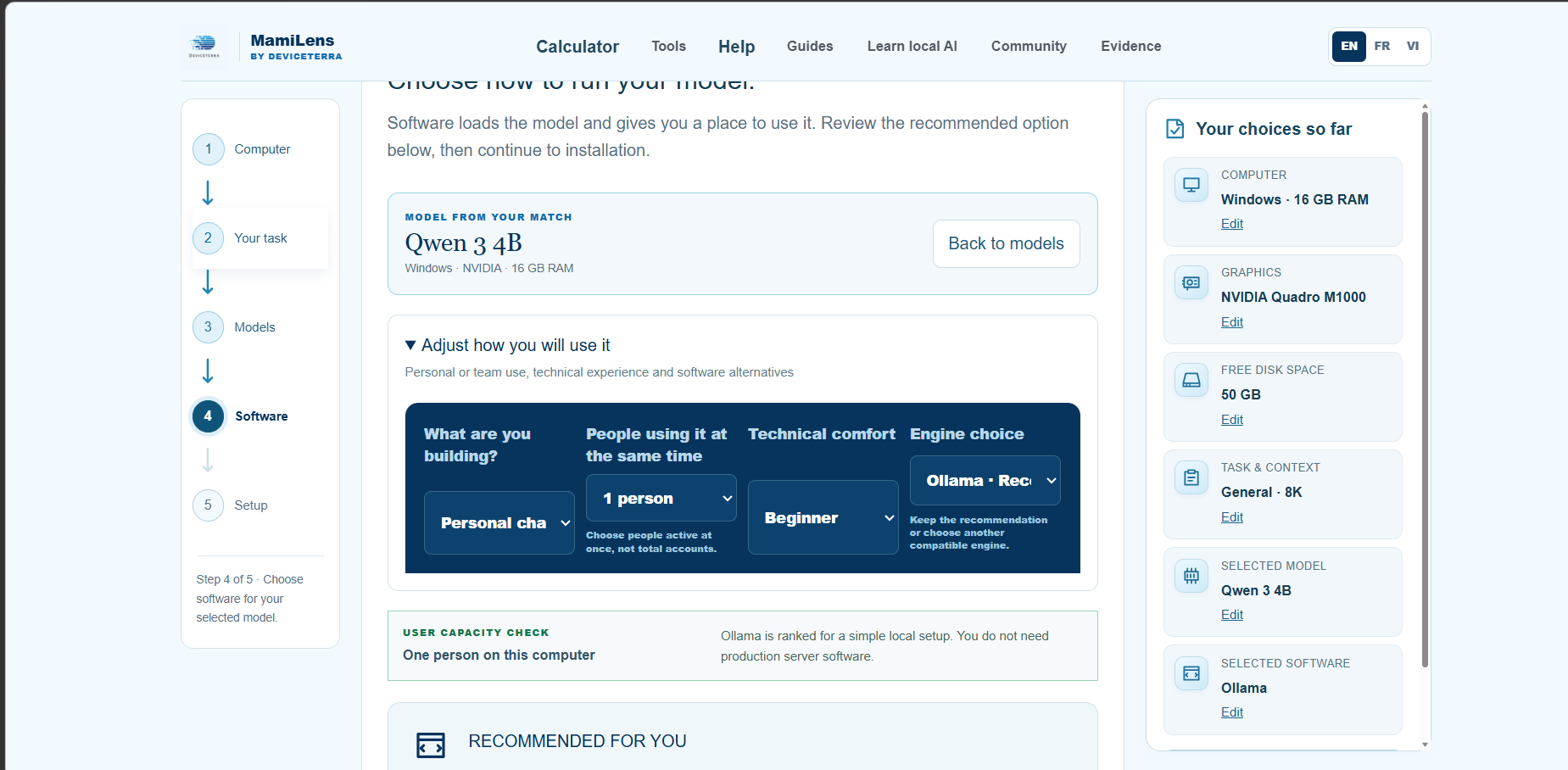
| Operating system | Windows; exact release not supplied |
|---|---|
| System RAM | 16 GB shown in the calculator |
| GPU | NVIDIA Quadro M1000 shown in the screenshot; GPU memory and actual offload were not supplied |
| Model and engine | Qwen 3 4B in LM Studio, reported by the maintainer |
| Task and context | General task and 8K selected in the calculator; actual loaded context was not supplied |
| Storage plan | 50 GB free disk selected in the calculator; not an installation measurement |
| CPU, engine version and exact model file | Not supplied |
| Tokens per second, first-token time and peak memory | Not measured or not supplied |
How this changes the recommendation
For this model and a single beginner using personal chat, LM Studio is now the preferred eligible visual setup. Ollama remains a compatible option for command-based setup and API integration. GPU acceleration on an older Quadro must be checked separately; successful execution does not prove full GPU offload.
A source-checked file to try
lmstudio-community/Qwen3-4B-GGUF / Qwen3-4B-Q4_K_M.gguf · Q4_K_M · about 2.5 GB. File source reviewed 2026-10-21.
- Install LM Studio from its official download, or open your existing installation.
- Open Discover and paste lmstudio-community/Qwen3-4B-GGUF into the search box.
- Choose Qwen3-4B-Q4_K_M.gguf (about 2.5 GB). Reuse the exact file if it is already downloaded.
- Load the model. Review the memory estimate and use a context that fits your computer.
- Start with CPU execution if this older Quadro is not supported by the selected runtime. GPU offload is optional and must be checked.
- Send a short test message in Chat. No local API server is required for the LM Studio chat interface.
Evidence limits
This is a qualitative report from one user. The screenshot shows calculator selections, not generated model output or a performance measurement. The exact GGUF file, quantization, engine version, loaded context, prompt and answer were not supplied. The independently source-checked Q4_K_M download below is a setup option, not a claim that it is the exact file used in this test.