Storage holds the download
An SSD keeps model files after shutdown. RAM holds working data while the model runs. Leave free disk space for updates and other models. More SSD space does not replace enough RAM.
Reviewed unit:36-core CPU,80-core GPU,256 GB memory; macOS 27.0; Apple review loan.
Photographs and manufacturer images, with source credits. Select a picture to inspect the full image. The pictured variant may differ from the reviewed unit.
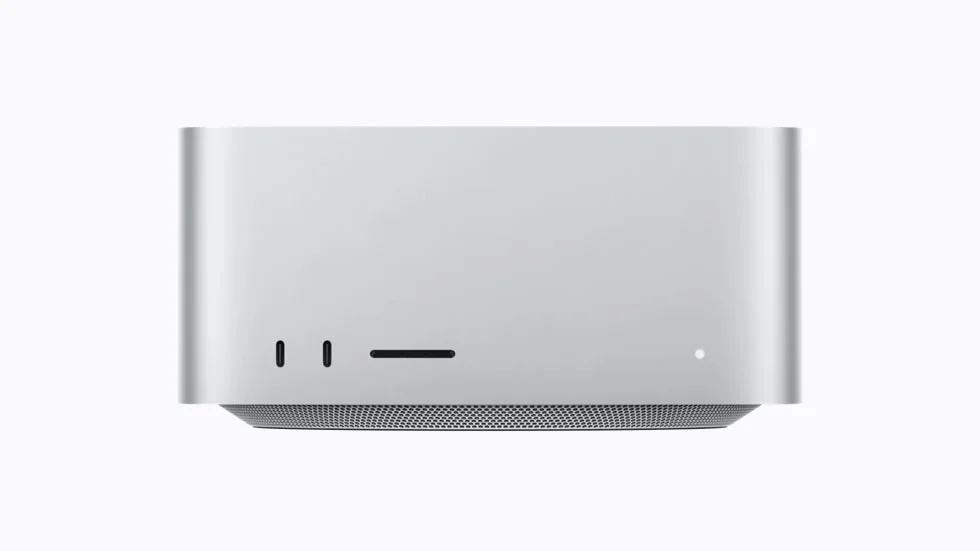
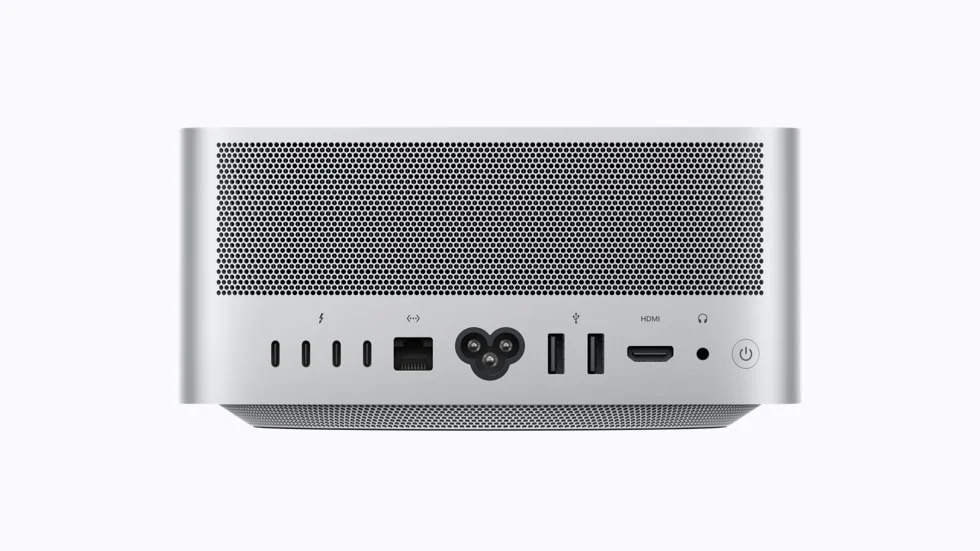
The CPU keeps the system and applications running. The GPU can do many model calculations together when your engine supports it. More cores do not guarantee a faster answer across different chip families.
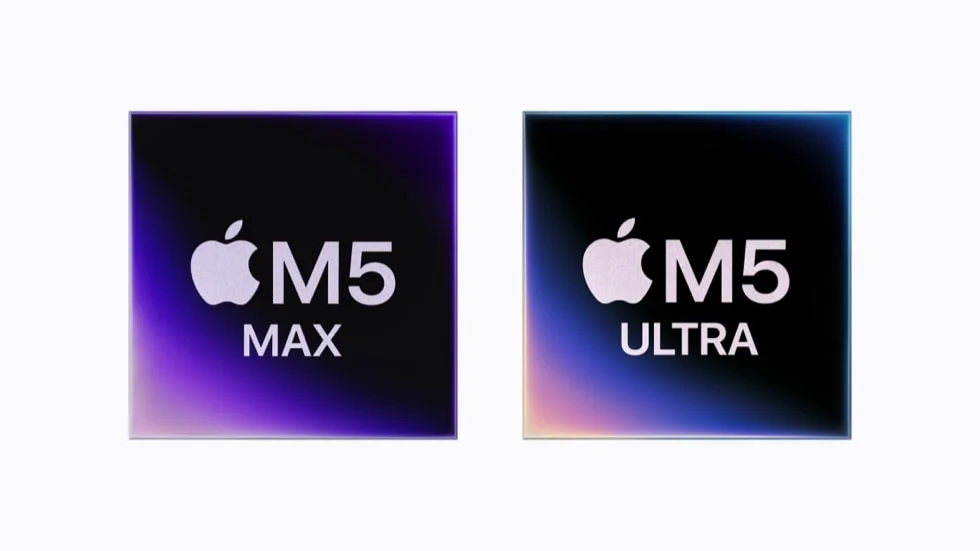
CPU cores and GPU compute units describe different designs. Compare the same model, engine and settings before treating one chip as faster. An NPU or Neural Engine specification does not prove that your chosen language-model application uses it.
The CPU, GPU and operating system share one memory pool. Shared GPU memory is not extra memory on top of the listed capacity. A large model, a long conversation and other applications all compete for that space.
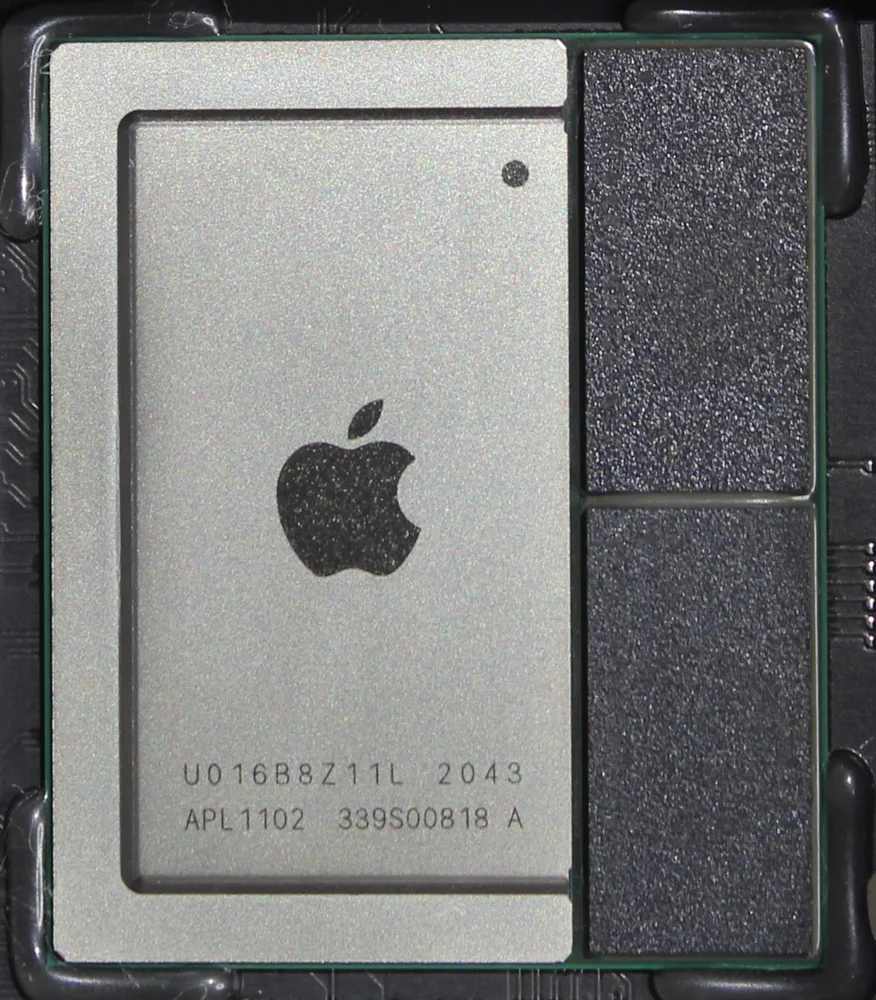
Capacity tells you how much memory is available. Bandwidth tells you how quickly the chip can read it. A model can fit in memory and still respond slowly. Longer context also uses memory for the model’s working cache.
Learn RAM, VRAM and model size →Memory is not a removable DIMM upgrade on these Apple Silicon Macs. Choose capacity before buying. Internal SSD serviceability varies by model; use the exact service documentation rather than assuming a standard PC drive can be fitted.
An SSD keeps model files after shutdown. RAM holds working data while the model runs. Leave free disk space for updates and other models. More SSD space does not replace enough RAM.
Check the monitor, network and drive ports you need. USB-C is a connector shape; check its actual speed and display support. A fast network does not automatically merge two computers’ memory.
These are manufacturer product-family specifications and options. The creator’s exact reviewed configuration is listed separately. Confirm the model number and options before buying.
| Specification | Detail | Source |
|---|---|---|
| Cpu | M5 Ultra,30 or 36 CPU cores | Source ↗ |
| Gpu | 64 or 80 GPU cores | Source ↗ |
| Memory | 96 GB; configurable to 256 GB or 512 GB subject to availability | Source ↗ |
| Memory type | Unified memory shared by CPU and GPU | Source ↗ |
| Storage | 1 TB-16 TB SSD options | Source ↗ |
| Memory (family options) | Apple M5 Max chip 36 GB unified memory Configurable to: 48 GB, 64 GB, or 128 GB (M5 Max with 18‑core CPU and 40‑core GPU) Apple M5 Ultra chip 96 GB unified memory Configurable to: 256 GB or 512 GB (M5 Ultra with 36‑core CPU and 80‑core GPU) | Source ↗ |
| Storage 1 (family options) | Apple M5 Max chip 512 GB SSD Configurable to: 1 TB, 2 TB, 4 TB, or 8 TB Apple M5 Ultra chip 1 TB SSD Configurable to: 2 TB, 4 TB, 8 TB, or 16 TB | Source ↗ |
| Connections and Expansion (family options) | Four Thunderbolt 5 (USB‑C) ports with support for: Thunderbolt 5 (up to 120Gb/s) USB 4 (up to 120Gb/s) USB 3 (up to 10Gb/s) DisplayPort 2.1 Genlock 2 Two USB 3 (USB‑A) ports (up to 5Gb/s) HDMI 2.1 port 10Gb Ethernet 3.5 mm headphone jack On front (M5 Max): Two USB-C ports (up to 10Gb/s) SDXC card slot (UHS-II) On front (M5 Ultra): Two Thunderbolt 5 ports (up to 120Gb/s) SDXC card slot (UHS-II) | Source ↗ |
| Communications (family options) | Wireless Apple N1 wireless networking chip Wi‑Fi 7 (802.11be) 3 Bluetooth 6 Thread networking technology Ethernet 10Gb Ethernet (Nbase-T Ethernet with support for 1Gb, 2.5Gb, 5Gb, and 10Gb Ethernet using RJ-45 connector) | Source ↗ |
| Size and Weight (family options) | Height: 3.7 inches (9.5 cm) Width: 7.7 inches (19.7 cm) Depth: 7.7 inches (19.7 cm) Weight (M5 Max): 6.0 pounds (2.7 kg) 4 Weight (M5 Ultra): 8.0 pounds (3.6 kg) 4 | Source ↗ |
| Electrical and Operating Requirements (family options) | Line voltage: 100-240V AC Frequency: 50Hz to 60Hz, single phase Maximum continuous power: 480 W Operating temperature: 50° to 95° F (10° to 35° C) Storage temperature: -40° to 116° F (-40° to 47° C) Relative humidity: 5% to 90% noncondensing Operating altitude: tested up to 16,400 feet (5000 meters) | Source ↗ |
Confirm your operating system, driver, engine version, model format and quantization. The creator’s named test below is a starting point, not a guarantee that every model or engine works. Use a native Apple Silicon engine with a supported Metal or MLX backend. CUDA-only installation instructions are for NVIDIA hardware.
Plan your model and engineBy NetworkChuck
The creator publishes measurement logs and a reproducible harness.
Review loan; software versions differ between machines. 512 GB availability must be checked separately.
A plain-English reading companion for this review and its hardware specifications. Select a term to read its meaning and why it matters. These explanations are not a transcript or quotations from the creator.
24 terms
The CPU runs the operating system and general instructions. A core is a unit inside it that can work on instructions.
Why it matters here: More cores can help some jobs, but core counts from different chip families are not a shared speed score.
A graphics processor can do many similar calculations at once. Local AI engines can use that ability to run a model.
Why it matters here: The engine must support the exact GPU and driver. A powerful GPU is not useful to an unsupported engine.
The computer’s working memory. The operating system, applications and a running model use it.
Why it matters here: A downloaded model can fit on your SSD and still be too large to load into working memory.
Memory dedicated to a separate graphics card.
Why it matters here: When a model fits in VRAM with space for its working context, the engine may avoid moving data through slower system memory.
One physical memory pool is shared by the CPU, GPU and the operating system.
Why it matters here: Do not count shared GPU memory as extra RAM. Leave room for the system and other applications.
Formats for removable RAM modules. SO-DIMMs are smaller and often used in laptops and mini PCs.
Why it matters here: Do not assume every mini PC has memory slots. Many unified-memory systems use soldered memory instead.
GB/s means gigabytes per second; Gbps means gigabits per second. A byte contains eight bits.
Why it matters here: A10Gbps network number is not the same as10GB/s of memory bandwidth. Check the units before comparing specifications.
How much data the memory system can move per second. Capacity and bandwidth describe different things.
Why it matters here: A machine may hold a very large model but generate its answers slowly. Check actual model tests.
An SSD stores files. NVMe is a fast storage protocol. M.2 describes a module and connector format.
Why it matters here: Model downloads live on storage, while a running model needs working memory. Check supported drive sizes and slots before upgrading.
A token is a small piece of text. Tokens per second describes how quickly a model produces or processes those pieces.
Why it matters here: Reading the prompt and writing the answer are different measurements. Ask which stage the reviewer measured.
The amount of text a model can work with at once, including the prompt, conversation and other supplied text.
Why it matters here: A larger setting uses more working memory and can increase loading or response time. Start with enough for your real task.
Working memory that keeps information from earlier tokens so the model can use it while continuing an answer.
Why it matters here: Longer context can make this cache larger. Model-file size alone does not describe total memory use.
A way to store model numbers using fewer bits. Q4 usually describes a roughly four-bit approach, with different formats and tradeoffs.
Why it matters here: Lower-bit files often need less memory, but quality and speed can change. Compare the exact file, not just the model name.
Parameters are the model’s learned numbers. B means billion, so 8B means about eight billion parameters.
Why it matters here: More parameters do not guarantee a better result for every task. The model must also fit and respond at a useful speed.
Running some or all of a model’s work on the GPU instead of the CPU.
Why it matters here: Partial offload can allow a model to run, but it is not proof that the complete model fits in the GPU’s memory.
The software that loads a model and performs its calculations to produce an answer.
Why it matters here: The same hardware can behave differently with different engines, drivers and model files.
Apple technologies that local AI applications can use to run calculations on Apple Silicon.
Why it matters here: Use a native engine and a supported model artifact. NVIDIA CUDA instructions do not transfer directly to a Mac.
NVIDIA’s software platform for GPU computing.
Why it matters here: CUDA-based tools need compatible NVIDIA hardware and software. A CUDA tutorial is not an AMD installation guide.
Number formats that use eight or sixteen bits for a stored value.
Why it matters here: Memory use and hardware support differ. A model with the same name but a different format is a different configuration to test.
The wait before the model starts producing its answer.
Why it matters here: A system can write quickly once started but still spend a long time reading a large document first.
Retrieval-augmented generation: finding relevant passages from documents and supplying them to a model with your question.
Why it matters here: This can help answer from your files, but you still need to check the cited passages and answer accuracy.
TDP is a chip cooling or power-design figure. The power supply rating is the amount the supply is designed to provide.
Why it matters here: Neither number alone is a measurement of the full system’s electricity use during your AI task.
A specialized processor for supported AI workloads.
Why it matters here: An NPU specification does not mean your chosen local language-model engine uses it.
Two or more computers working together through software and a network.
Why it matters here: More machines do not automatically mean faster answers or one shared memory pool. Check single-machine and cluster results separately.
Further reading: LM Studio load settings · Quantization · KV cache
These observations belong to this source and configuration. Changing the model file, context or software can change the result.
Engine: mlx_lm.server · Quantization: 4-bit
Same-model32K-prompt benchmark against M3 Ultra.
Explore this model family and size in our catalog →
The catalog artifact, quantization or variant may differ from the review. This link does not extend the tested result.
Engine: mlx_lm.server · Quantization: 16-bit
Included in paired benchmark.
Explore this model family and size in our catalog →
The catalog artifact, quantization or variant may differ from the review. This link does not extend the tested result.
Editorial inference: Evaluate for document-heavy workflows after measuring your own model; avoid buying solely on peak memory capacity.
Check current price, regional availability, returns, warranty and the exact memory configuration with the seller. This guide does not guarantee a specific speed.
No separately verified owner report is attached to this profile yet. The creator test above is the evidence currently recorded.
Have this hardware? Share the exact model file, engine version, memory, context length, speed and any setup problems.
Contribute your testCheck memory, storage, model number, seller warranty, returns and shipping to your country. A product-family name does not identify every component inside.
View manufacturer options ↗