On this page
VRAM belongs to the graphics workloadFile size is not the complete requirementShared memory is not extra dedicated VRAMContext changes the memory budgetObserve the real loadTry it yourselfSourcesVRAM is memory used by a dedicated GPU. A model needs room for its weights, context, and other running data.
What Is VRAM? Dedicated and Shared Memory Explained
Use the video to see how VRAM differs from system RAM and shared graphics memory. The lesson adds the local AI memory budget: weights, context, engine overhead, and safety headroom.
Watch on YouTube or turn on captions ↗Here is what matters, why it matters and how to check it on your own setup.
VRAM belongs to the graphics workload
VRAM means video random-access memory. On a dedicated graphics card, it is separate from the computer's main RAM.
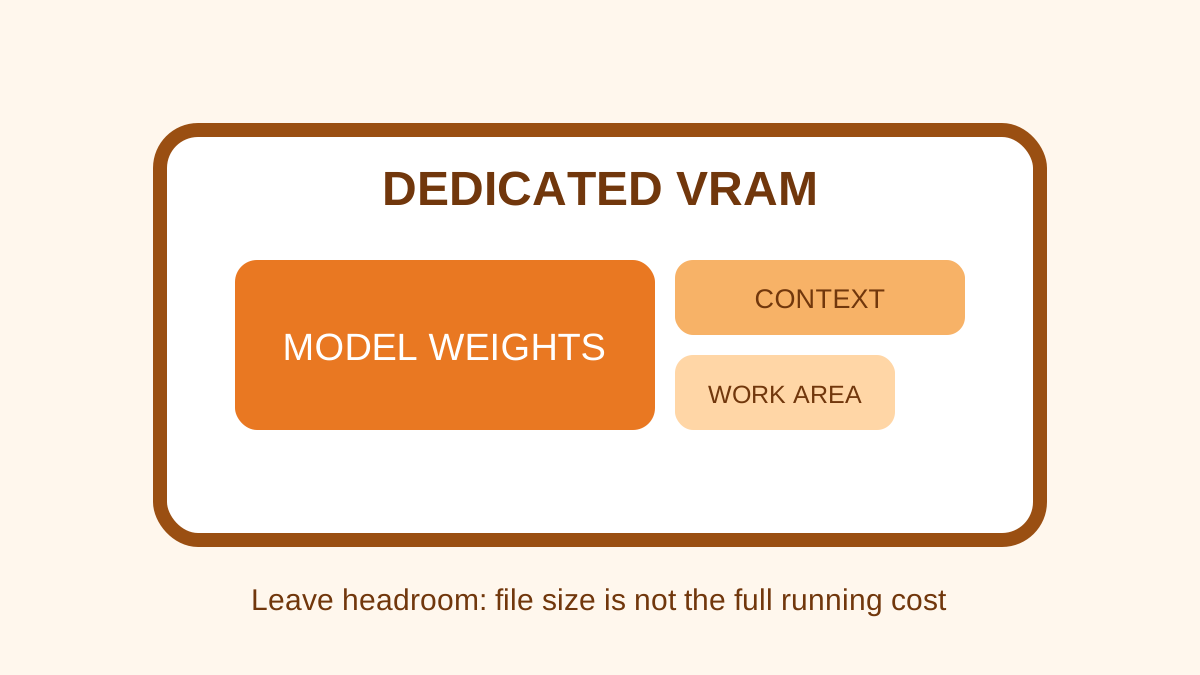
The GPU uses VRAM for model weights and temporary data while supported AI work runs.
A simplified learning diagram. Exact implementations can differ.
File size is not the complete requirement
A 6 GB model file can need more than 6 GB while running because the engine and conversation also use memory.
Leave headroom instead of choosing a file that exactly matches the printed VRAM capacity.
Shared memory is not extra dedicated VRAM
Windows may show dedicated memory and shared GPU memory. Shared memory usually comes from system RAM.
It may help some workloads, but it is slower and reduces RAM available to other programs.
Context changes the memory budget
Longer prompts and context settings can require more working memory.
A model that fits at a short context may spill into RAM or fail at a much longer setting.
Observe the real load
Use the operating system's performance tools and the engine's status display while a model answers.
Record whether the model is fully on the GPU, partly offloaded, or running mainly through CPU and RAM.
Try it yourself
Use harmless information for this exercise. Record what you observe instead of treating one result as a universal rule.
- Record dedicated VRAM separately from shared memory.
- Load a small supported model and watch dedicated GPU memory during a reply.
- Increase context only when the task requires it and observe the change.
Quick check: open the recap
Can you add 16 GB RAM and 8 GB VRAM and call it a 24 GB GPU? No. They are different memory pools.
Finished this lesson?
Mark it complete when you have read the lesson and tried the exercise. This saves progress on this browser. It is your own assessment, not a test score.
Sources for this lesson
Official documentation supports product and model facts. Community discussions show real setups, failures, and questions. A community result is supporting evidence, not a promise that another computer will perform the same way.
Watch a real test. Check what fits your computer.
See practical local AI tests from DeviceTerra, then use MamiLens to build a hardware-aware shortlist for your own setup.
This guide is educational. Model software, licenses, and hardware support can change. Check official sources before an important deployment.